Do Calls Go Through When Your Phone Is Dead? What Really Happens and How to Never Miss Important Calls
Introduction
Your phone dies. A client or friend calls. You wonder if it rang, if it went to voicemail, or if the network kept trying. This article gives you clear, practical answers. You will learn exactly what happens to incoming calls when your phone is dead, how that differs from a powered off phone or no signal, and what the caller hears in each case. We will also cover carrier handling, Wi‑Fi Calling nuances, VoIP apps, and multi‑device options that keep you reachable.
The goal is control. You can shape how calls route when your device is unreachable by using forwarding rules, backup numbers, and simple power habits. Along the way, you will see short tests that confirm your scenario and tips to avoid missed calls. We will move from the quick answer into details on phone states, then explore iPhone versus Android behavior, carrier policies, and practical setups you can deploy today. With that context in mind, let us start with the short version of what happens when the battery hits zero.

Quick Answer: What Happens When Your Phone Is Dead
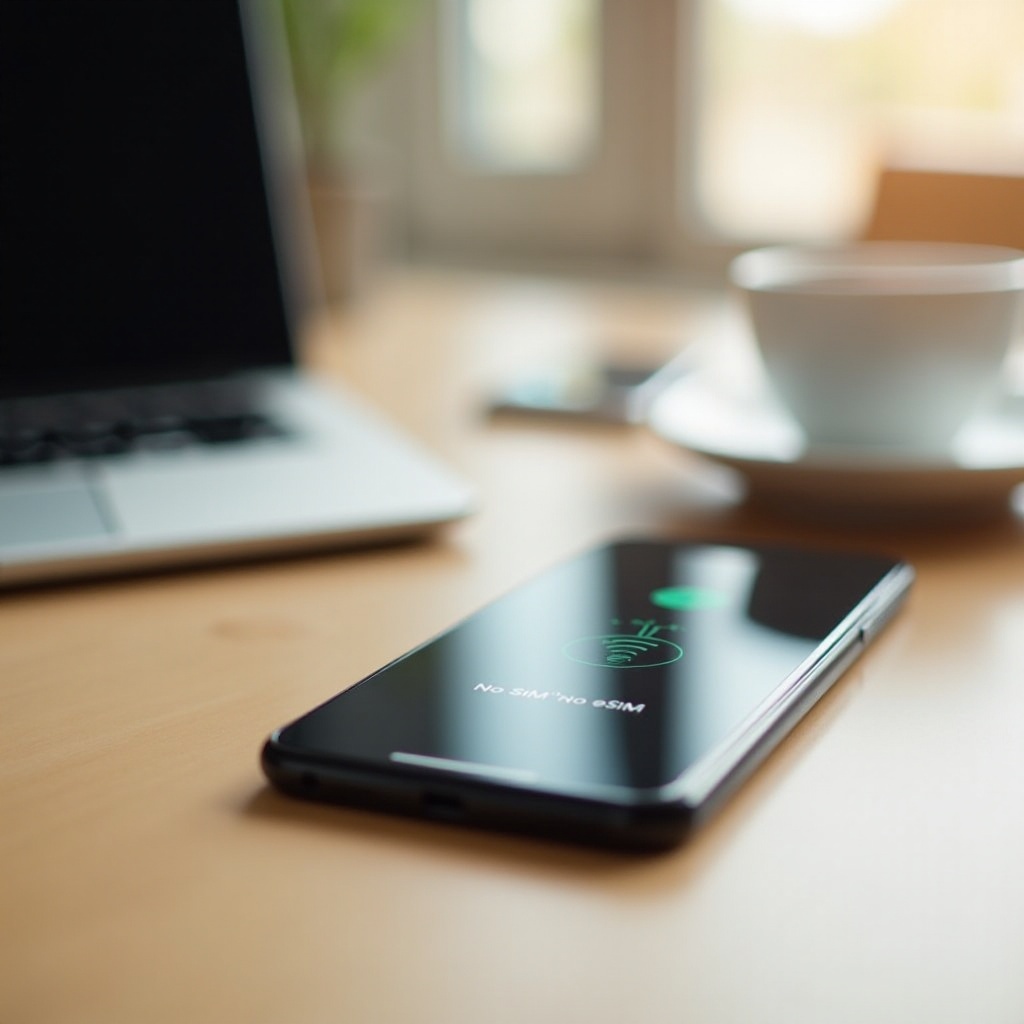
When your phone is dead, calls do not reach it. The device cannot register on the network because the radio is off. Your carrier marks the line unreachable and follows the rules for that condition. In most cases, the network forwards the call to your voicemail deposit number or to another destination you have set for unreachable calls. The caller may hear a short ringback tone before voicemail, or they may hear an announcement that the customer is unavailable. That ringback is network signaling, not an actual ring on your device.
You will not see a live incoming call, and you will not get a missed call notification until the phone powers up and reconnects. After it boots and registers, the phone syncs voicemail indicators and may show missed calls from the carrier or your cloud number. Text messages and app notifications queue and deliver after the device comes online. Since the network only cares whether a device is registered, the dead state behaves much like a powered off state. That brings us to how different device states affect inbound calls.
Dead vs Powered Off vs No Signal vs Airplane Mode: What’s the Difference for Incoming Calls
These four states look similar to callers but differ in how the device and network get there.
- Dead battery: The phone shuts down abruptly as power falls below the cutoff. The network soon marks the line unreachable. Calls route according to unreachable rules, usually voicemail or a forwarding destination. The caller may hear brief ringback or an immediate announcement before voicemail.
- Powered off: The device sends a clean deregistration to the network, then turns off. The result is similar to dead battery because your line becomes unreachable. Calls go to voicemail or forwarding. Because deregistration is clean, some carriers confirm the status faster.
- No signal or out of coverage: The phone remains on but cannot attach to a tower. The network still cannot reach it. Calls follow unreachable handling after a short attempt. If you move into coverage while a call arrives, the device may catch the call, but timing windows are small.
- Airplane mode: Cellular radios are off by choice. If Wi‑Fi Calling is off or not connected, the network treats the line as unreachable. If Wi‑Fi Calling is on and connected to a reliable network, calls can ring and complete over Wi‑Fi even with zero cellular bars.
Despite these differences, carriers care about one question: can they reach a registered device right now. If yes, they present the call. If no, they apply unreachable rules. Understanding what the caller hears next helps you identify which state you were in.
What the Caller Hears: Rings, Straight-to-Voicemail, and Network Messages Explained
Callers typically hear one of three things: several seconds of ringback followed by voicemail, instant voicemail, or a network message that the number is unavailable. Ringback does not prove your phone is ringing. It is an audio tone played by the network while it checks status and sets up routing. With a dead or powered off phone, many carriers skip to voicemail quickly, but some still play a short ringback to maintain a consistent caller experience.
If voicemail is not set up, the network may play an announcement and then end the call. In some cases, callers hear that the customer has a full mailbox or that the number cannot receive calls. Blocking apps can create similar patterns. For example, a blocked call might ring once or not at all and then go to voicemail or fail without a message. The difference is what happens on your device later. With a dead or off phone, you may see a voicemail indicator and missed call entries after the phone reconnects. With a block in place, you will not see any alert from that caller even after power is restored.
Keep this pattern in mind as you read the platform and carrier sections. Those details explain why two callers can report different experiences when your phone is unreachable.
iPhone vs Android: Are There Any Real Differences When Your Phone Is Dead?
At the network layer, there is no functional difference. A dead iPhone and a dead Android phone both fail to register. The carrier routes calls using unreachable rules, and the device never rings. Differences appear once power returns. iPhone handles visual voicemail, missed call badges, and voicemail transcription in predictable ways across models. Android behavior can vary by manufacturer and dialer app, but the core flow is the same: once the device registers, it syncs voicemail indicators and logs missed calls.
Optional features create edge cases when the phone is on. For example, Silence Unknown Callers, call screening, spam filters, and Do Not Disturb affect how calls present when the device has power. They do not change what happens when the phone is dead. Knowing that the network treats both platforms the same, let us look at the carrier mechanics that shape ringback, voicemail, and forwarding.
Carrier Behavior in the U.S.: AT&T, Verizon, T-Mobile, and Wi‑Fi Calling Nuances
Major U.S. carriers apply a similar framework to unreachable calls. Each line has conditional call forwarding rules: forward when busy, forward on no answer after a timer, and forward when unreachable. By default, unreachable sends callers to your voicemail deposit number. If your mailbox is provisioned, the message records and a notification waits for your device. If the mailbox is not set or full, callers hear an announcement and the call ends.
Timing differs by carrier and network conditions. Some systems play ringback for a few seconds while they confirm your status, then forward. Others skip ringback and send callers to voicemail immediately. If your account has custom forwarding, unreachable calls can go to a secondary number you choose. Wi‑Fi Calling adds another layer. When your phone is on and connected to Wi‑Fi Calling, inbound calls can ring over Wi‑Fi even with poor cellular coverage. When the battery is dead, Wi‑Fi Calling cannot help because the device cannot authenticate or present a call.
You can tune behavior with carrier codes that set forwarding destinations and ring timers. If critical calls matter to your work, ask support to read back your unreachable destination and confirm your voicemail provisioning. With that foundation, consider how internet apps and multi‑device setups can keep calls alive even when your main phone is offline.
VoIP and Cross-Device Calling: FaceTime, WhatsApp, Messenger, and Google Voice
VoIP apps route calls over data networks, not the cellular voice channel. If your phone is dead, the app on that device cannot ring. Multi‑device support changes the story. Many platforms let you sign in on a tablet, watch, or computer. If those devices are online, they can receive calls to the same account even while your phone is offline. That gives you a useful safety net in offices, at home, or when traveling with a laptop.
Google Voice and similar cloud numbers go further. They can ring multiple endpoints at once: your mobile line, a desk phone, a VoIP client, and the web. If your primary phone is dead, the cloud number still rings other endpoints and captures voicemail in the cloud. You can read transcriptions, get email alerts, and return calls from any signed‑in device. iPhone features like Calls on Other Devices and Android integrations like Link to Windows can mirror carrier calls to nearby devices when the phone is powered and connected. While nothing can force a dead device to ring, these cross‑device tools reduce missed calls by adding alternative endpoints that stay online.
Dual-SIM/eSIM and Call Forwarding: Keep Calls Reaching You Even If One Line Is Down
Dual‑SIM and eSIM allow you to run two lines on one handset. If that single handset loses power, both lines go unreachable at the same time. The solution is redundancy across devices, not only across numbers. Place a secondary line on a separate device, such as a watch with LTE, a basic backup phone, or a VoIP desk phone at your office. Now unreachable on one device does not mean unreachable everywhere.
Next, configure conditional call forwarding. Set unreachable forwarding on your primary line to a backup number you control: a secondary mobile, a cloud number, or your business line. Adjust your ring‑no‑answer timer so voicemail does not snatch calls too quickly. Many users choose 30 seconds to give themselves time to answer on alternate endpoints. You can also enable unconditional forwarding when you know your battery is low and you need maximum availability. Shortcuts and automation apps can flip this setting with a tap.
Always test your setup. Call your number, then power off the phone. Confirm the call lands at the correct backup endpoint, voicemail records properly, and notifications arrive. Repeat monthly. This discipline catches changes after carrier updates, SIM swaps, or account migrations.
Blocked Number or Dead Phone? How to Tell the Difference
From the caller perspective, blocked and dead can sound similar. Look for patterns. When a phone is dead or powered off, callers typically hear a few seconds of ringback before voicemail or an immediate jump to voicemail. When a number blocks a caller, the call usually rings once or not at all and then routes to voicemail or fails quickly. On your device, the difference shows up after you power on. Unreachable events often generate voicemail indicators and call logs. Blocked callers leave no trace on your phone because the device or network filters them out by design.
Messaging can help you separate the cases. With a dead or offline phone, messages from platforms that need data either wait or show not delivered to the sender. After you reconnect, they deliver. With a block, the sender may see delivered but you never receive the message. If you suspect a network issue, ask another friend on a different carrier to call you. If both calls behave the same way, you are likely unreachable rather than filtering one person. Once you determine which case you have, you can take targeted steps to restore normal call flow.

Simple Tests You Can Run to Diagnose Your Situation
You can isolate most call issues in minutes with a few tests. Keep notes on what you see and hear.
1) Call your number from two different carriers. Note whether you hear instant voicemail, a short ringback, or several rings. Compare the two results.
2) Toggle Airplane Mode on for 10 seconds, then off. Call again. If calls start working, you had a temporary registration issue.
3) Power the phone off, call it, then power back on. After boot, check for missed calls and voicemail indicators. If none appear, your voicemail may not be provisioned.
4) Move to a window or outdoors. Watch signal bars. Call again. If the pattern changes, coverage was the culprit.
5) Turn on Wi‑Fi Calling and connect to a stable network. Call again. If calls now ring, cellular signal was the limiting factor.
6) Verify forwarding. Use your carrier codes or app to read unreachable, busy, and no‑answer destinations. Make sure unreachable points to a number you control.
7) Contact support to check for account blocks, unpaid suspensions, or porting issues. These can cause instant failures that mimic a dead phone.
After testing, you should know whether the phone was unreachable, whether voicemail and forwarding work, and whether Wi‑Fi Calling fixes weak coverage. With that clarity, you can implement long‑term habits that prevent repeats.

Pro Tips to Avoid Missed Calls When Your Battery Is Low
Build a simple system so one dead device does not cost you important calls.
- Configure conditional forwarding for unreachable, busy, and no answer. Point unreachable to a backup number you own, not to a colleague or friend.
- Extend your ring‑no‑answer timer to 30 seconds so you have time to reach the phone or let alternate endpoints ring.
- Use a cloud number as your public contact. Let it ring multiple devices at once and capture voicemail in the cloud with transcriptions and email alerts.
- Enable Wi‑Fi Calling and save trusted networks at home, work, and frequent locations. Stable Wi‑Fi bridges gaps when cellular drops.
- Keep a compact power bank, cable, and wall plug in your bag, car, and desk. Replace old cables that charge slowly.
- Turn on Low Power Mode, lower screen brightness, and limit background activity when the battery dips under 25 percent.
- Run a secondary line on a device that is not your main phone, such as an LTE watch or basic backup handset that stays charged.
- Share a backup number with close contacts who must reach you, and teach them how to leave a clear voicemail.
- Test your setup monthly. Place a call, power off, confirm forwarding, voicemail, and notifications. Update notes after any carrier or device change.
With these steps in place, you decide where calls land during outages and low‑battery moments. To close, let us recap how all these parts fit together.
Conclusion
A dead phone never rings. The network cannot reach a radio that has no power, so carriers route calls using unreachable rules. What the caller hears depends on forwarding and voicemail settings, not on wishes or luck. That is good news because you can change those settings. By combining conditional forwarding, a cloud number, Wi‑Fi Calling, and a modest power plan, you can keep calls flowing even when your primary device goes dark. Small habits like monthly tests, longer ring timers, and a pocket charger add resilience. Put this plan in place now so the next dead battery does not derail a key call or leave someone guessing whether you saw their ring.
Frequently Asked Questions
Do calls go straight to voicemail when my phone is dead, or will it ring first?
Most callers hear instant voicemail or a brief ringback tone that is only network signaling. Your device does not ring at all because it is not registered on the network.
Can texts or iMessages and WhatsApp messages go through when my phone is dead?
No. Cellular texts and app messages wait until your device powers on and reconnects. After it registers, queued messages deliver and notifications appear.
How many times will a call ring if my phone is dead versus if I am blocked?
A dead phone often plays brief ringback or jumps straight to voicemail. A blocked call usually rings once or not at all, then routes to voicemail or ends quickly.